Author: galaxykaadmin

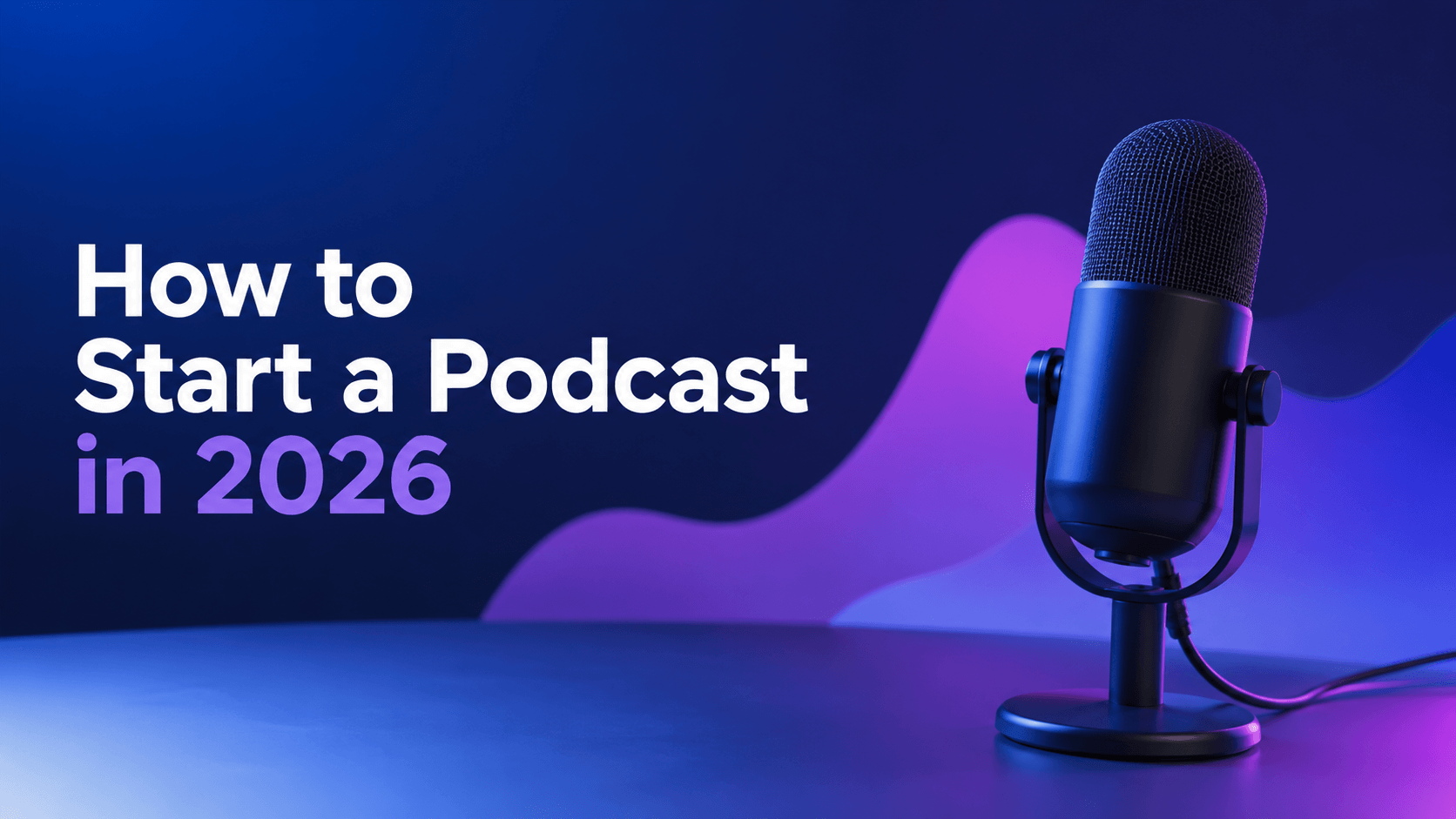
  • How to Start a Podcast in 2026 for Beginners

    How to Start a Podcast in 2026 for Beginners

    In 2026, the whole concept of Podcasting is becoming more popular than ever before making it one of the best channels to develop a personal brand, expand a business as well as communicate one’s enthusiasm to the world.

    Regardless of whether one wishes to create an interview-based show, educational or commercial podcast, storytelling series, or any type of podcast, the beginning is easier than you thought due to advanced equipment, AI editing software as well as other hosted services. In terms of trends seen today, recording video podcasts is gaining popularity along with a distribution on YouTube.

    This guide will give you a step-by-step instruction on how to kick off a podcast in 2026, including the choice of the subject matter, first episode release, and audience development.

    Why Start a Podcast in 2026?

    From the point of podcasting, it seems like it’s no longer only for celebrities and media firms. Now everyone—from enterprises to influencers and businesspeople—can be sure of attracting an audience with a podcast.

    Some reasons to start a podcast include:

    • Build authority in your industry
    • Grow your personal or business brand
    • Create evergreen content
    • Connect with your audience
    • Generate leads and sales
    • Repurpose content into blogs, shorts, and social media posts

    Video podcasting grows in its popularity, and platforms like YouTube and Apple Podcasts offer creators the opportunity to send video-based content.

    Step 1: Choose Your Podcast Topic

    Your podcast should focus on a subject you’re knowledgeable and passionate about.

    Popular podcast niches include:

    • Technology
    • Business & Entrepreneurship
    • Marketing
    • Finance
    • Health & Fitness
    • Education
    • Personal Development
    • Comedy
    • News
    • True Crime
    • Sports
    • Travel
    • Food

    Select a niche that caters to a ready audience in a specific field but not to the general public.

    Step 2: Identify Your Target Audience

    Before recording your first episode, answer these questions:

    • Who is your ideal listener?
    • What problems do they face?
    • Why would they listen to your podcast?
    • What value will they gain?

    Understanding your audience helps you create episodes that keep listeners coming back.

    Also Read: How to Grow a YouTube Channel Faster in 2026

    Step 3: Select Your Podcast Format

    Different formats should go together with your personality and topic choice.

    • Solo Podcast: Great for coaches, teachers, and personal brands.
    • Interview Podcast: The invitations should be sent to industry professionals and experts.
    • Co-host Podcast: The format where two persons are discussing different topics together.
    • Storytelling Podcast: Suitable for historical cases, criminal and documentary stories, and fiction as well.
    • Panel Discussion: In such format, several experts express their opinion.

    Step 4: Plan Your First Episodes

    Instead of launching with only one episode, prepare several in advance.

    Plan:

    • Podcast name
    • Show description
    • Episode titles
    • Episode outlines
    • Intro and outro
    • Publishing schedule

    A successful launch contains a minimum of three episodes, which allow your audience to discover your prospects right from the very start.

    Step 5: Get the Right Podcast Equipment

    You don’t need an expensive studio.

    Essential Equipment

    • USB or XLR microphone
    • Headphones
    • Laptop or desktop
    • Quiet recording room
    • Pop filter (optional)
    • Boom arm (optional)

    Recording Software

    • Audacity
    • GarageBand (Mac)
    • Adobe Audition
    • Descript
    • Riverside
    • Zoom (for interviews)

    Modern AI-powered tools can automatically remove background noise, improve audio quality, and simplify editing.

    Step 6: Record Your Podcast

    Before recording:

    • Test your microphone
    • Record in a quiet room
    • Turn off notifications
    • Keep water nearby
    • Use headphones

    Talk spontaneously instead of just reading from the script. Prepare short bullets summarizing your ideas, but try to keep your presentation alive and interesting.

    Step 7: Edit Your Podcast

    Editing improves the listening experience.

    Remove:

    • Long pauses
    • Background noise
    • Mistakes
    • Repeated words
    • Awkward silences

    Add:

    • Intro music
    • Outro music
    • Transitions
    • Sound effects (if appropriate)

    Keep episodes clear, polished, and easy to follow.

    Also Read: Video Editing Tips That Increase Watch Time and Engagement

    Step 8: Create Podcast Artwork & Branding

    Your podcast cover is often the first thing potential listeners notice.

    Design artwork that:

    • Uses bold typography
    • Is easy to read on mobile devices
    • Matches your niche
    • Includes your podcast name
    • Uses consistent branding colors

    Also create:

    • Intro music
    • Outro
    • Podcast description
    • Episode templates

    Step 9: Choose a Podcast Hosting Platform

    A podcast host stores your audio files and distributes them to listening platforms through an RSS feed.

    Popular hosting platforms include:

    • Spotify for Creators
    • Buzzsprout
    • Transistor
    • Podbean
    • Captivate
    • Libsyn

    Many ​hosting services already distribute your podcast to Spotify, Apple Podcasts, Amazon Music, and many more popular directories automatically.

    Step 10: Publish Your Podcast

    Before publishing, make sure each episode includes:

    • SEO-friendly title
    • Episode description
    • Keywords
    • Cover image
    • Categories
    • Show notes
    • Timestamps (optional)

    Launch with multiple episodes to encourage binge listening.

    Maintain a consistent release schedule such as:

    • Weekly
    • Bi-weekly
    • Every Monday
    • Every Friday

    Consistency matters more than frequency.

    Promote and Grow Your Podcast

    Publishing is only the beginning.

    Promote your podcast by:

    • Uploading video versions to YouTube
    • Sharing short clips on Instagram Reels
    • Posting YouTube Shorts
    • Creating TikTok videos
    • Sharing updates on LinkedIn
    • Building an email newsletter
    • Collaborating with other podcasters
    • Repurposing episodes into blog posts
    • Optimizing episode titles and show notes for search

    Also Read: What Is SEO and How Does It Work

    Regardless of the genre in which they specialize, expert podcasters encourage you to ensure that your podcast can be discovered by ranking well in search engines and being available via a variety of platforms.

    How to Monetize Your Podcast

    Once your audience grows, you can generate income through:

    • Sponsorships
    • Affiliate marketing
    • Premium memberships
    • Paid subscriptions
    • Merchandise
    • Online courses
    • Coaching
    • Digital products
    • Brand partnerships
    • YouTube monetization

    Focus on building a loyal audience before pursuing monetization.

    Common Podcasting Mistakes to Avoid

    Avoid these common beginner mistakes:

    • Choosing a topic that’s too broad
    • Buying expensive equipment too early
    • Poor audio quality
    • Publishing inconsistently
    • Skipping editing
    • Ignoring podcast SEO
    • Not promoting episodes
    • Giving up after a few episodes
    • Failing to engage with listeners

    Remember that successful podcasts are built through consistency and continuous improvement.

    Conclusion

    If you are starting a podcast in 2026, you do not have to worry about having a professional studio or spending tens of thousands of dollars to produce valuable audio. You only need to find your area of interest, upload your first episode regularly, and produce high-quality podcasts.

    With the help of affordable and effective recording gear, AI-driven editing programs, and easy-to-use hosting services, you can manage to start your podcast within a couple of days. The more podcasts you have, the more chances you get to build up an audience, develop credibility, and make money. So, stay productive and keep learning from your audience.

  • Meta Ads vs Google Ads: Complete Comparison Guide

    Meta Ads vs Google Ads: Complete Comparison Guide

    Selecting the appropriate advertising platform is among the most crucial choices for any organization wanting to expand in the online domain. Meta Ads and Google Ads are two of the most well-known solutions available to marketers, enabling businesses to connect with their potential clients but in totally different manners. Meta Ads emphasize the aspect of targeting based on users’ behaviors and interests on Facebook and Instagram, while Google Ads connect businesses with customers who are actively searching for products or services on Google.

    By learning more about the differences between the two platforms, you will be able to allocate your marketing funding wisely. In this article, we will compare Meta Ads and Google Ads, tell you about their pros and cons, and help you choose the best option for your business.

    What Are Meta Ads?

    Meta Ads refer to ads that require payments and appears on the platforms that are operated by Meta such as Facebook, Instagram, Messenger, as well as the Meta Audience Network. This ads are used by the brands for the promotion of different products, services or apps by targeting the audience.

    The materials from Meta Ads contain many visuals and help in creating awareness about the brands. Using such ad types as image ads, video ads, carousel ads, reels ads or stories ads allows companies to reach the customers on different steps of the purchasing process.

    What Are Google Ads?

    Google Ads refer to the advertisement system operated by Google that consists of the ads that are displayed on Google Search, YouTube, Gmail, Google Maps and thousands of online resources within Google Display Network. The advertisers use bidding procedure for getting the right to place their ads when the buyer looks for the related products or services.

    Google Ads are so effective since they reach the customers with the high purchase interest, who are searching for the particular products or services.

    Meta Ads vs Google Ads: Quick Comparison Table

    FeatureMeta AdsGoogle Ads
    PlatformsFacebook, Instagram, MessengerGoogle Search, YouTube, Display Network, Gmail
    User IntentDiscovery-basedSearch intent-based
    Best ForBrand awareness, engagement, social salesLeads, website traffic, direct sales
    TargetingInterests, behaviors, demographicsKeywords, audience, location, demographics
    Ad FormatsImages, Videos, Stories, Reels, CarouselSearch, Display, Shopping, Video, Performance Max
    Cost ModelCPC, CPM, CPACPC, CPM, CPA
    Speed of ResultsFastFast
    Purchase IntentMediumHigh
    Ideal BusinessesB2C, eCommerce, local brandsService businesses, eCommerce, B2B
    Long-Term StrategyExcellent for audience buildingExcellent for capturing demand

    Pros and Cons of Meta Ads

    Pros

    • Advanced audience targeting
    • Ideal for brand awareness
    • Excellent visual ad formats
    • Lower cost per impression
    • Strong retargeting capabilities
    • Great for eCommerce businesses
    • Easy to scale campaigns

    Cons

    • Lower purchase intent than Google Ads
    • Creative fatigue can reduce performance
    • Frequent algorithm changes
    • Requires high-quality visuals
    • Competition can increase advertising costs
    • Results depend heavily on audience targeting

    Pros and Cons of Google Ads

    Pros

    • Reaches users with high buying intent
    • Immediate visibility on Google Search
    • Multiple campaign types available
    • Excellent for lead generation
    • Detailed performance tracking
    • High conversion potential
    • Effective for local businesses

    Cons

    • Competitive keywords can be expensive
    • Requires ongoing campaign optimization
    • Poor keyword selection can waste budget
    • Click costs vary significantly by industry
    • Landing page quality affects performance
    • Can be difficult for beginners to master

    When Should You Choose Meta Ads?

    • You want to build brand awareness.
    • You are launching a new product or service.
    • Your business relies on visual content.
    • You want to target audiences based on interests and behaviors.
    • You run an eCommerce or fashion brand.
    • You need affordable social media advertising.
    • You want to retarget previous website visitors.

    When Should You Choose Google Ads?

    • Customers actively search for your products or services.
    • You need immediate leads or sales.
    • You want to rank above competitors in search results.
    • Your business offers local services.
    • You have a strong conversion-focused website.
    • You want measurable ROI from search traffic.
    • You sell products through Google Shopping.

    Can You Use Meta Ads and Google Ads Together?

    Yes, many prosperous companies are implementing both Meta Ads and Google Ads as part of their digital marketing campaigns. The benefit of using Meta Ads lies primarily in their ability to promote product awareness and introduce the brand to new markets. Google Ads, on the other hand, enable the advertisers to reach users already searching for particular products or services.

    Using a combined approach provides marketers with an opportunity to get followers of the brand in various stages of the buyers’ journey. Marketers, being aware of how Meta Ads can help in getting the audience interested, can use Google Ads later to target users interested in making a purchase.

    Meta Ads vs Google Ads: Which Is Better for Your Business?

    There is no universally applicable solution, because the selected platform is determined primarily by the customer’s aims, funds at disposal, and audience to be targeted. If brand awareness, social interaction, and visual marketing matter the most, Meta Ads seem to be the proper choice. For those who seek to generate leads or sales among customers who are already searching for them, Google Ads will prove to be more profitable.

    With a view to the majority of businesses, the most effective option is to utilize both platforms simultaneously. Meta Ads serve to attract and advance potential customers, and Google Ads are needed to turn eager users into profitable customers. An even approach allows customers to gain maximum exposure, increase conversions, and improve marketing effectiveness in the long run.

    Final Thoughts

    Today, Meta Ads and Google Ads are regarded as among the best digital advertising platforms with each one bringing its own benefits. Meta Ads is good at creating brand awareness, achieving high engagement on the part of audiences, as well as generating social media interactions. Google Ads, on the other hand, successfully targets customers who are looking for specific products or services.

    Instead of choosing one over another, firms should assess their marketing goals, audience, and budget. In many cases, a combination of Meta Ads and Google Ads is recommended as it allows achieving the best outcomes.

  • SEO vs SEM: Pros, Cons, Differences & When to Use Each

    SEO vs SEM: Pros, Cons, Differences & When to Use Each

    If you are someone who is just getting started with digital marketing, it is very likely that you have heard about SEO and SEM. Even though they are related to each other, there are some differences between these two terms. So, it is important to know about SEO and SEM in order to create an effective strategy for improving your website, attracting visitors to it, and increasing conversion rates.

    In this post we will explain what SEO and SEM are, their differences, advantages, and use cases.

    Quick Answer:

    The difference between SEO (Search Engine Optimization) and SEM (Search Engine Marketing) is that SEO is focused on optimizing your website for higher positions in organic search results whereas SEM combines search engine optimization and paid searches in order to increase traffic to your website.

    What Is SEO?

    Search Engine Optimization (SEO) is defined as a method of enhancing the quality of the website, bringing it higher on the page of search engines for free. The main aim of SEO is to obtain organic traffic by increasing relevance and trustworthiness of the website in the eyes of major search engines.

    It means improving the quality of the content, conducting target keywords research, speeding up the website, increasing the user experience, earning backlinks, fixing the technical issues of the website, etc.

    Key Components of SEO

    • Keyword Research
    • On-Page SEO
    • Technical SEO
    • Off-Page SEO (Backlinks)
    • Content Marketing
    • User Experience (UX)

    Benefits of SEO

    • Free organic traffic
    • Long-term website growth
    • Builds brand credibility
    • Higher click-through rates
    • Better return on investment over time

    What Is SEM?

    Whereas Search Engine Marketing (SEM) is defined as the process of boosting the visibility of the site through paid promotion, most commonly using Google Ads, Meta Ads or Microsoft ads. SEM is often associated with the concept of paid search (PPC), with some narrower definitions even presuming SEO as an element of SEM.

    The businesses place bids on keywords within SEM with the purpose of getting their ads appear at the top of the search engine results pages.

    SEM Includes

    • Google Ads
    • Bing Ads
    • Pay-Per-Click (PPC) Campaigns
    • Shopping Ads
    • Search Ads
    • Remarketing Campaigns

    Benefits of SEM

    • Immediate visibility
    • Fast traffic
    • Highly targeted audience
    • Easy budget control
    • Ideal for promotions and new products

    SEO vs SEM: Comparison Table

    FeatureSEOSEM
    Full FormSearch Engine OptimizationSearch Engine Marketing
    Traffic TypeOrganicPaid (and, in broader definitions, may include SEO)
    CostNo cost per clickPay for every click
    ResultsSlow but long-lastingImmediate
    DurationLong-termShort-term
    Click CostFreeCPC (Cost Per Click)
    RankingOrganic search resultsSponsored ads
    ROIIncreases over timeDepends on ad spend
    Best ForSustainable growthInstant visibility
    Stops When Budget EndsNoYes

    Pros and Cons of SEO

    Pros

    • Free organic traffic
    • Long-lasting results
    • Builds website authority
    • Improves user experience
    • Higher credibility
    • Better long-term ROI

    Cons

    • Slow results
    • Requires continuous optimization
    • High competition for popular keywords
    • Search engine algorithm updates can affect rankings

    Pros and Cons of SEM

    Pros

    • Instant website traffic
    • Highly targeted advertising
    • Quick lead generation
    • Easy performance tracking
    • Flexible budgets
    • Ideal for product launches

    Cons

    • Can become expensive
    • Traffic stops when ads stop
    • Competitive keywords have higher CPC
    • Requires continuous campaign optimization

    When Should You Choose SEO?

    SEO is the better choice if you:

    • Want long-term website growth
    • Have limited advertising budget
    • Publish blogs regularly
    • Want to build brand authority
    • Focus on consistent organic traffic

    When Should You Choose SEM?

    SEM works best if you:

    • Need immediate traffic
    • Launch a new product or service
    • Run seasonal promotions
    • Want quick lead generation
    • Compete in highly competitive markets

    Can SEO and SEM Work Together?

    Absolutely.

    The most successful digital marketing strategies combine both SEO and SEM.

    For example:

    • Use SEM to drive instant traffic to a newly launched product.
    • Build SEO content around the same keywords for long-term organic rankings.
    • Analyze high-performing paid keywords and use them in future SEO content.
    • Retarget visitors who first found your website through organic search with paid campaigns.

    Which Is Better: SEO or SEM?

    No one solution is suitable for all businesses, it all depends on what results one is interested in getting.

    One should opt for SEO when he/she wants to have stable traffic, lower costs of acquisition in the long term, and a stronger brand.

    It is better to choose SEM if one needs instant visibility, acceleration of lead generation, or promo of time-limited offers.

    Combining SEO and SEM together is the best solution for many businesses, as it allows getting immediate results with the help of SEM and long-term success due to SEO.

    Final Thoughts

    While SEO and SEM are incredibly useful digital marketing techniques, they are different in terms of purpose. SEO creates opportunities for generating organic traffic thanks to quality of content and optimization of website itself, while SEM allows making use of paid advertising to provide you quick visibility and target audience.

    If you are planning to start applying SEO, it would help you have a good basis for further development. However, if you are in need of fast results, SEM will enable you to attract traffic nearly immediately. It is often a good idea to use both techniques to achieve a nice combination of short-time results and long-time success.

  • Digital Marketing vs Traditional Marketing: Which One Is Better for Your Business?

    Digital Marketing vs Traditional Marketing: Which One Is Better for Your Business?

    The availability of various means of contacting prospective customers has increased for business. Even though nothing changes in traditional marketing with television, newspapers, and billboards still being effective, thanks to digital marketing, the ways of communication with the audience have changed. Thus, picking a marketing approach is subject to the needs and goals of a business and the amount of money one possesses for advertising.

    In this article, we will analyze digital marketing the advantages of digital marketing as compared to traditional marketing, as well as the disadvantages of both types of marketing and help you make a decision.

    What Is Digital Marketing?

    Digital marketing refers to the process of advertising goods or services via online channels including search engines, social media, websites, emails, and smartphone apps. Digital marketing differs from traditional marketing in that it enables companies to target the audience effectively, analyze the effectiveness of campaigns in real time, and optimize communications based on the results.

    In the modern world, all types and sizes of trade organizations utilize digital marketing for targets such as raising brand awareness, increasing sales, and generating leads. Running Google Ads, creating blogs, and engaging customers on Instagram can be considered as part of digital marketing.

    What Is Traditional Marketing?

    Traditional marketing, on the contrary, implies the use of offline tools to promote goods and services. Traditional marketing encompasses techniques that informed the audience through either print media or other forms of advertising.

    Some popular examples of traditional marketing techniques include TV commercials, newspaper ads, radio commercials, magazines, billboards, leaflets, brochures, and direct mail campaigns.

    Traditional marketing is effective in creating brand awareness on the local level and targeting the audience that does not spend much time online. Large companies often use TV and print advertising to create strong brand recognition and reach a broad audience.

    Digital Marketing vs Traditional Marketing: Comparison Table

    FeatureDigital MarketingTraditional Marketing
    Marketing MediumInternet and digital platformsOffline media
    Audience ReachGlobalMostly local or regional
    CostLower and flexibleUsually more expensive
    TargetingHighly targetedBroad audience targeting
    Customer InteractionTwo-way communicationMostly one-way communication
    Campaign TrackingReal-time analyticsDifficult to measure accurately
    ROI MeasurementEasy to trackLimited tracking
    FlexibilityEasy to edit or pause campaignsChanges can be costly
    SpeedInstant campaign launchTakes more time
    EngagementHigh through comments, shares, emailsLimited engagement
    Best ForBusinesses of all sizesLarge-scale brand awareness and local advertising

    Pros and Cons of Digital Marketing

    Pros

    • Cost-effective compared to most traditional advertising methods.
    • Allows precise audience targeting based on demographics, interests, and behavior.
    • Provides real-time analytics and campaign performance tracking.
    • Enables businesses to reach customers worldwide.
    • Offers multiple marketing channels, including SEO, social media, email, and PPC.
    • Campaigns can be modified instantly based on performance.
    • Encourages direct interaction with customers through comments, messages, and reviews.
    • Suitable for both small businesses and large enterprises.

    Cons

    • High competition in almost every industry.
    • Results from SEO and content marketing often take time.
    • Constant algorithm updates can affect performance.
    • Requires ongoing content creation and optimization.
    • Internet connectivity is necessary to reach online audiences.
    • Negative reviews can spread quickly if not managed properly.

    Also Read: How to Run Meta Ads

    Pros and Cons of Traditional Marketing

    Pros

    • Builds strong brand recognition through mass media.
    • Effective for reaching local audiences.
    • Printed advertisements often have a longer physical lifespan.
    • Television and radio ads can create high brand recall.
    • Trusted by audiences who prefer offline media.
    • Works well for event promotions and regional campaigns.

    Cons

    • Generally more expensive than digital marketing.
    • Limited audience targeting options.
    • Difficult to measure campaign effectiveness accurately.
    • Campaign changes can be costly and time-consuming.
    • One-way communication with limited customer interaction.
    • Smaller businesses may find traditional advertising beyond their budget.

    Can Digital and Traditional Marketing Work Together?

    Yes! In fact, most successful companies combine digital marketing strategies with the traditional marketing strategies so as to get maximum reach as well as better results.

    For instance, a company may run a television advertisement in order to establish brand recognition while redirecting customers towards its website for more information about the product. In the same manner, embedding QR codes in the company’s brochures and flyers can encourage customers to visit the site.

    By applying both methods, companies can benefit from the broad reach of traditional media and accuracy provided by the digital marketing. Such strategy is often referred to as omnichannel marketing.

    Final Thoughts

    Digital and traditional marketing have their own advantages and disadvantages. The benefits of digital marketing include its low cost, exact targeting, easy measurement, and international reach. Traditional marketing has its own significance when it comes to building local presence, establishing brand credibility, and reaching customers through trusted offline methods.

    Instead of perceiving digital marketing and traditional marketing as competing techniques, companies should opt for whichever option or combined options suit their business goals, target market, and finances best. By knowing the pros and cons of both marketing strategies, it will be possible to develop a complete marketing plan that ensures brand awareness and customer engagement.

  • How to Grow a YouTube Channel from 0 Subscribers

    How to Grow a YouTube Channel from 0 Subscribers

    Starting a YouTube channel with no subscribers can be disheartening as your first few videos might not attract many views. However, all successful YouTube channels started out in a similar fashion, as you have to know that success is not simply about luck, it is about the combination of quality content, search engine optimization, and understanding the audience.

    When you focus on quality content, proper video packaging, and viewer satisfaction, your channel will begin to gain traction and acquire subscribers.

    Why Growing from Zero Subscribers Is Challenging

    When someone starts a YouTube channel, it usually doesn’t have a user base, viewing history, or subscriber count. Because of this factor, YouTube can only provide minimal information about possible viewers. The first uploads often get minimal attention, and based on the number of views and likes of the video, YouTube decides whether to promote it further.

    Also Read: How to Grow a YouTube

    Another significant problem is related to the issue of trust. The audience is unlikely to subscribe to a channel unless the creator posts regularly helpful videos. Quite a few popular YouTubers put a lot of time and effort into making quality content and do not expect to achieve success overnight.

    Tips to Grow YouTube Channel from 0 Subscribers

    1. Choose the Right YouTube Niche

    One of the main reasons why new channels face difficulties is that they try to create numerous unrelated topics. Picking a specific niche allows YouTube to classify your content correctly and increases the chances of showing it to a relevant audience.

    Pick a niche of your interest and expertise. Depending on your interests, the niche can be technology, gaming, finance, education, cooking, fitness, travel, AI Tools, or digital marketing. Picking a proper niche gives you credibility and loyal audience. Before filming, do your research on people’s search behavior and identify the things that are consistently demanded in your niche.

    2. Create High-Quality Content

    Content quality is crucial for a successful YouTube channel. You can start without having expensive cameras or fancy equipment. Numerous YouTubers blossomed using a smartphone, proper lighting, and a decent sound.

    Focus on addressing issues, responding to questions, or amusing your audience. Present each video with a catchy hook, cut all the unnecessary pauses, and make sure you offer a lot of value for the audience. Proper editing, crystal-clear audio, and eye-catching visuals considerably enhance the watching experience and make the viewers subscribe.

    Also Read: What Is Video Editing?

    3. Optimize Videos with YouTube SEO

    Consistency helps both your audience and YouTube understand when to expect new content. Instead of uploading many videos in one week and disappearing for months, create a realistic publishing schedule you can maintain.

    Whether you upload once a week or twice a month, maintaining a consistent schedule helps you improve your skills and build trust with viewers. While YouTube states that daily uploads aren’t required for success, regularly publishing quality content gives your audience more opportunities to discover your channel.

    4. Design Click-Worthy Thumbnails

    Let’s discuss thumbnail and title – those are often the first things that people see. Great videos may not be clicked on.

    Make sure your Youtube thumbnail is neat with a good contrast, has a focal area, and uses a minimum of text. Text should be visible with readable fonts and impressionable visuals if needed. Make sure your thumbnail corresponds with your content. Your thumbnail should be accompanied by an interesting title making viewers curious about the video but without misleading them.

    5. Upload Consistently

    Having consistency in uploading your content can help both your audience and YouTube to know when to expect new videos. Instead of uploading numerous videos in one week and not uploading anything for the months that follow, create a schedule that is realistic and that you will be able to follow.

    Making sure that you have a regular schedule allows you to improve your skills and also helps you build your credibility with your audience. YouTube states that it is not necessary to publish videos every day to succeed. Quality content means that your viewers will be able to find your channel in more ways.

    6. Focus on Audience Retention

    Audience retention is a measure of how long viewers stay to watch the videos. The longer viewers watch your videos, the better it is for YouTube, since they know that your content is interesting.

    You should grab your audience’s attention at the very beginning of your videos, avoid long introductions, keep up the pace, and provide visual content to illustrate what you are talking about. Use YouTube Studio to check your retention parameters and see what parts of your videos would need changes in the next videos that you are going to upload.

    Also Read: 10 Video Editing Tips That Increase Watch Time and Engagement

    Common Mistakes to Avoid

    • Choosing multiple unrelated niches on one channel.
    • Uploading videos without keyword research.
    • Using misleading clickbait titles or thumbnails.
    • Ignoring audio quality while focusing only on video quality.
    • Inconsistent upload schedules.
    • Giving up after only a few uploads.
    • Making long intros that lose viewer attention.
    • Ignoring YouTube Analytics and audience feedback.
    • Copying other creators instead of creating unique content.
    • Focusing only on subscriber count instead of providing value.

    Conclusion

    lding a YouTube channel from zero cannot be done overnight. It involves hard work, patience, persistence, and dedication. Instead of striving for viral content, it is better to concentrate on meaningful video production that helps an audience or entertains them. Select a specific niche in order to publish good materials regularly, optimize each video, and create a great thumbnail. Also, be diligent in watching statistics.

    Also, it is important to know that everyone has started at zero subscribers.

  • What Is SEO and How Does It Work?

    What Is SEO and How Does It Work?

    Every day, billions of people around the world look for information through search engines such as Google. The websites that show up on the first page of the results have usually used Search Engine Optimization techniques to deserve that spot.

    SEO is one of the most powerful types of digital marketing as it allows businesses to attract customers and traffic without spending money on advertising. Whether you run a company or a blog, or have an online shop, knowledge of SEO will help you improve people’s awareness of your business.

    In this article, you will find information on what SEO is, why it is essential for businesses, how SEO makes its impact on sales, what are the main types of SEO, what mistakes are typical for beginners, and what tips can facilitate the process of implementing SEO techniques.

    What Is SEO?

    SEO refers to the process of enhancing a website to position itself in search engine results when relevant keyword searches are conducted. SEO aims to maximize the traffic to the site, which is gained naturally and without charge.

    Search engines, including Google, evaluate millions of websites based on specific criteria such as content quality, relevance, authority of the website, page load time, and experience of the users. Websites that provide helpful and credible information get ranked higher.

    SEO is a natural approach that does not require paying for promotions, which makes it be a long-term strategy for developing one’s online image.

    Why Is SEO Important?

    The importance of SEO stems from the fact that it enhances the visibility of websites to potential customers without depending much on paid ads. Since the majority of users only check some of the first few search results, higher rankings can be vital for driving website traffic and building brand awareness.

    An effective website that is well optimized can guarantee a great user experience due to its fast load times, mobile-friendly UX design‘, and informative materials. With time and perseverant efforts, SEO can produce a steady stream of quality leads, enhance credibility, boost the rate of conversions, and ensure long-term results.

    Also Read: What Is Digital Marketing?

    How Does SEO Work?

    SEO functions as a way for search engines to discover and rank your website. Each time a person searches something online, search engines must analyze an incredible number of pages in order to find those that fit the user’s query best.

    The SEO process generally includes three main stages:

    1. Crawling

    Search engines utilize bots, also known as crawlers and spiders, to crawl websites on the internet. They move from website to website and discover new pages and updates of previously existing pages.

    2. Indexing

    After crawling a website, the search engines analyze the content, images, headings, keywords, and quality of the page. If the page fits the search engines’ quality requirements, it is indexed in the search engine’s database, which is a very large database of all web pages from the internet.

    3. Ranking

    When a user searches for something online, search engines compare the existing pages in the database and rank them according to a large number of ranking criteria. Pages that are best suited for the user’s query become available in the search results.

    How Search Engines Rank Websites

    In order- to identify the websites which have to be ranked high, the search engines have complex alogorithms and they determine the ranking based on it.The actual mechanism is secretive but there are factors whinch contribute towards the rankings.

    • Content Quality: The search engines love the use of unique content that is useful to the people who are looking for specific thing through search engines and if the content is informative and helpful, it is preferred by the search engines.
    • Keyword Relevance: There are some websites where the relevant keywords are used in an appropriate manner on the website and it helps search engines to know about the topic of the website.
    • Search Intent: The content is created in such a way that it is appealing to the audience and it is relevant to the audience in relation to their search.
    • Backlinks: The links received from the trusted websites create a positive impact and enhance the credibility of the website.
    • User Experience: The webpages should load quickly, the website should be user-friendly and it creates a positive impact.
    • Website Authority: Google considers those websites as credible which create content that is reliable and trustworthy in terms of authenticity.
    • Technical Performance: The overall website structure does help the search engines in ranking the website.

    Types of SEO

    SEO includes different subcategories that collaborate in order to enhance visibility of your site.

    1. On-Page SEO

    On-page SEO refers to the search engine optimization of different types of content on a single webpage. It may include search engine friendly content, keyword placing, meta description writing, title tags optimization, headings, image optimization, links within the site, and writing valuable content.

    2. Off-Page SEO

    Off-page SEO concentrates on obtaining backlinks from external sources and thus indirectly improving backlinks.

    3. Technical SEO

    Technical SEO is devoted to the general state of your site with the purpose of simplifying search engines’ indexing process. This type of SEO includes different actions such as reducing the loading speed of a web page, mobile site optimization, checking safety of the site, availability of structured data, XML sitemap and fixing technical problems.

    4. Local SEO

    Local SEO plays an important role for the businesses and makes them visible on Google. The best example is searching for a restaurant. Local SEO includes optimization of Google Business Profile and reviews on the company.

    Common SEO Mistakes to Avoid

    • Keyword stuffing.
    • Publishing duplicate content.
    • Ignoring mobile optimization.
    • Having slow-loading pages.
    • Using poor-quality backlinks.
    • Skipping title tags and meta descriptions.
    • Neglecting internal linking.
    • Publishing thin or outdated content.
    • Not optimizing images.
    • Ignoring technical SEO issues.

    SEO Tips for Beginners

    • Focus on creating helpful, original content.
    • Research keywords before writing.
    • Write clear and compelling page titles.
    • Optimize your meta descriptions.
    • Use proper heading tags (H1, H2, H3).
    • Improve your website’s loading speed.
    • Make your website mobile-friendly.
    • Add internal links between related pages.
    • Earn backlinks through quality content.
    • Regularly update older articles.

    Conclusion

    One of the best long-term methods of improving the visibility of your website is SEO. SEO is efficient because it allows your material to find readers who are already looking for what you have to offer instead of spending money on advertising, though it takes time to achieve high rankings.

    While obtaining high positions requires time, the outcome is more than worth it. Building high-quality content, optimizing your website, enhancing the user experience of your visitors, taking advantage of SEO practices will ensure the success and development of your website or business.

  • What Is Video Editing? Everything Beginners Need to Know

    What Is Video Editing? Everything Beginners Need to Know

    All the content you see while watching YouTube, Instagram clips, streaming on Netflix, and TV viewing has been through an editing process before reaching your screen. Video editing is required to get rid of the unwanted shots and adding some music, words, transitions, and visual effects.

    The process of video editing takes raw footage and turns it into something done right. Whatever you are doing, be it social media advertising, marketing video development, short movies, or video blogs, it is essential to know how to edit video effectively.

    The good thing is that you do not need lots of money to get the high-quality equipment as well as the years of experience in this area of expertise to start doing video editing. Nowadays, you can find such modern tools as immediately available applications and other programs that enable the users to produce movies from the very beginning at home.

    What Is Video Editing?

    Video editing is a process of picking out, arranging, cutting, improving, and merging clips of video so that a message can be created through the finished video. This also includes adding audio, music, words, animations, and effects into the finished video.

    Video editing can be compared to putting together a jigsaw puzzle. You select what footage you will use to generate the final polished video.

    Why Is Video Editing Important?

    Video editing is important because it helps to hold the attention of your audience. First of all, raw footage has flaws, it is often not suitable for presentation, because it can have problems like sound issues, awkward pauses, unstable filming, and so on.

    Benefits of video editing include:

    • Makes videos more professional
    • Improves storytelling
    • Increases audience engagement
    • Enhances visual quality
    • Improves audio clarity
    • Adds branding elements
    • Makes content suitable for different platforms

    Whether you are making a wedding video, advertising video for products, video blog, or an Instagram Reel, editing plays an important role in the way your audience perceives your video.

    Also Read: Video Editing Tips

    Types of Video Editing

    There are various techniques of editing used in videos. In this case, the following are some of the widely used editing styles.

    1. Non-Linear Editing (NLE)

    Today the most commonly used video editing technique is non-linear video editing. Non-linear editing allows the editor to cut, trim, add, and move clips around without harming any of the original footage. It can be done using software programs like Adobe Premiere Pro, DaVinci Resolve, and Final Cut Pro.

    2. Linear Editing

    Linear editing has been used for a long time but is not as common today due to the increased flexibility of digital editing software. The linear editing process only allows footage to be arranged in a linear fashion since once the editing is done, it is hard to return to the previous sequences.

    3. Online Editing

    Online editing refers to the last processes of video editing when high-quality and high resolution editing is achieved. Online editing involves such processes as color correction, utilization of video effects, and sound editing.

    4. Offline Editing

    As for offline editing, it allows editing to be done on a lower quality of the footage and only once the editing is done, the final project is linked back to the original and high-quality material.

    5. Mobile Video Editing

    Smartphones have become advanced devices that allow people to create fantastic videos with apps like CapCut, VN, and LumaFusion. Mobile editing has gained importance when it comes to making short videos for social networks like Instagram Reels, YouTube Shorts, and TikTok.

    Essential Video Editing Terms

    Understanding common editing terminology makes learning much easier.

    TermMeaning
    TimelineThe workspace where video and audio clips are arranged.
    ClipA single recorded video segment.
    SequenceThe complete edited project made up of multiple clips.
    CutRemoving or splitting unwanted portions of footage.
    TrimShortening the beginning or end of a clip.
    TransitionA visual effect used to move smoothly from one clip to another.
    Frame Rate (FPS)The number of frames displayed every second, such as 24, 30, or 60 FPS.
    ResolutionThe quality of a video, such as 720p, 1080p, or 4K.
    Aspect RatioThe width-to-height ratio of a video, like 16:9 or 9:16.
    Color CorrectionAdjusting brightness, contrast, white balance, and exposure for natural-looking footage.
    Color GradingApplying a creative visual style or mood to a video.
    RenderProcessing edits and effects before exporting.
    ExportSaving the finished project as a playable video file.

    Step-by-Step Video Editing Process

    Once you have the workflow in place, working on the final output of a polished video is simple.

    Step 1: Organize Your Files

    Before you start the editing process, you need to gather all the video clips, audio recordings, images, and graphics. Import them into your editing suite and organize them into separate folders to find them quickly later.

    Step 2: Review the Footage

    Watch each clip through and identify the best takes. Cut out all the unusable footage to proceed to the next step.

    Step 3: Create a Rough Cut

    Arrange the selected clips in the correct order to build the basic structure of your video.

    Step 4: Refine the Edit

    Make sure to trim all the clips where possible, fix the rhythm, and cut all the awkward pauses between the clips.

    Step 5: Improve Audio

    Get suitable dialogue levels for all blocks of audio and get rid of any ambient noise that could spoil the sound of your video. Optionally add music and sound effects.

    Step 6: Add Graphics and Titles

    Make sure to insert opening titles, captions, and logos to engage the audience and create a good impression.

    Step 7: Apply Color Correction

    Adjust colors, brightness, and contrast of each video clip to make everything look visually appealing and consistent.

    Step 8: Export the Final Video

    Choose the right size, frame rate, and file format of your video to be compatible with the platform it will be used on.

    Tips for Beginners

    • Start with simple edits before using advanced effects.
    • Keep your project files organized from the beginning.
    • Focus on storytelling rather than flashy transitions.
    • Learn keyboard shortcuts to edit faster.
    • Use high-quality audio, as sound is just as important as visuals.
    • Practice regularly by editing different types of videos.
    • Watch professional videos to learn editing techniques and pacing.

    Final Thoughts

    Video editing goes beyond putting together clips. Video editing is to work with sound, colors and imaginations. If you are making videos for a social networking site, or for promotion of your business, it is very important to be good at editing for you to make an impact with your message.

    The best way to learn how to edit videos is through practice. Select an easy video editing program, do smaller projects, and work on essential skills.

  • How to Run Meta Ads in 2026: The Ultimate Beginner’s Tutorial

    How to Run Meta Ads in 2026: The Ultimate Beginner’s Tutorial

    Meta advertising is one of the best marketing tools available for promoting your business. Meta Ads give you access to billions of potential customers across various social networking services (Facebook, Instagram, Messenger and the Meta Audience Network) regardless of whether you’re a freelancer, e-commerce company or an owner of a local business.

    For those who are new to advertising on Meta, the process of setting up an advertisement can be daunting. Meta’s ad manager has switched to AI-enhanced features (like Advantage+) to help beginners create and optimize their campaign efficiently.

    This guide will take you through the process of setting up your ad campaign on Meta from beginning to end and provide you with useful hints to get the best return on investment from your Meta advertising.

    What Are Meta Ads?

    Meta advertisements are paid advertisement made through Meta Ads Manager by businesses that are used to promote their products and/or services and/or brands on Facebook, Instagram, Messenger and the Meta Audience Network.

    The purpose of these advertisements is to extend businesses’ reach to those users who will be most likely to interact with their content and visit their website, inquire about their products/services, and make a purchase.

    Unlike traditional advertising, Meta utilizes machine learning, and leverages the users’ interactions, click pattern and purchase history to display the advertisements to the users who are most relevant to the business’ objective.

    Another key advantage of Meta Ads is that businesses have the ability to create campaigns with many different objectives, whether it be an increase in brand recognition, increased traffic to the website, generating leads, increasing downloads of their mobile apps or increasing online sales.

    Why Use Meta Ads?

    Meta advertisements are a popular choice among advertisers due to their enormous reach and ability to target an audience effectively. Everyday there are millions of users browsing on Facebook and Instagram making it a great place for a business to market its products and services to customers at the moment that they need them.

    Rather than marketing to everyone, Meta allows an advertiser to direct their messages based on demographics, interests, behaviours, locations, and even past behaviours with your business.

    Cost-effectiveness and advanced optimisation capabilities are additional reasons that many businesses use Meta Advertisements. Advertising with a limited daily budget, monitoring the success of their campaigns in real-time, and scaling campaigns only when they show results are all possible with Meta.

    Advertisers can also take advantage of features such as Advantage+ campaigns, automatic placements, and AI-based enhancements to help advertisers improve performance without doing all of the work manually.

    Understanding Meta Ads Structure

    Before to launching your initial campaign, it is vital to comprehend how Meta organizes advertising campaigns into three distinct tiers – Campaign, Ad Set and Ad.

    1. Campaign

    At the Campaign Level choose an advertising goal , This could be based on your desired action, and provide you insight into how to optimize your ads from the very beginning.

    Your goals may be broadly categorized into six focus areas: Awareness, Traffic, Engagement, Leads, App Promotion, and finally, Sales . Once you provide your selected goal, Meta will use its algorithm to support the outcome you want by optimizing your ad delivery.

    Examples of Campaign Objectives

    • Awareness
    • Traffic
    • Engagement
    • Leads
    • Sales
    • App Promotion

    2. Ad Set

    At the Ad Set Level, you control how your ad campaigns are delivered. This includes defining your audience (Target Audience), setting a budget, selecting ad placements, scheduling your ad campaigns, and optimizing them for the greatest impact.

    A well optimized Ad Set will ensure your ads reach your target audience at the optimal time.

    At this level, you can target users based on:

    • Age
    • Gender
    • Location
    • Interests
    • Behaviors
    • Custom Audiences
    • Lookalike Audiences

    3. Ad

    Finally, at the Ad Level, you will create your ad (the creative). This is where you will submit your image or video with associated creative text (primary text, headline, description, and Call-to-Action button).

    This is also where your creativity has a major impact on attracting your audience and motivating them to take action.

    Common ad formats include:

    • Single Image
    • Video
    • Carousel
    • Collection Ads

    Popular CTA buttons include:

    • Shop Now
    • Learn More
    • Contact Us
    • Book Now
    • Sign Up
    • Download

    Step-by-Step Guide to Running Meta Ads

    Establishing a successful Meta advertising campaign can be accomplished through following a well-organized process. Every step contributes significantly toward maximizing the opportunity for meeting your campaign’s objectives and facilitating success.

    Step 1: Create a Meta Business Account

    Start by creating your Meta Business Account (if you haven’t done this already) and connecting it with your Facebook Page and Instagram Account. By doing so, you will have access to Meta Ads Manager, which will serve as the place where all campaigns can be created and managed.

    Step 2: Open Meta Ads Manager

    Next, log in to Meta Ads Manager, and click the Create button. This dashboard will allow you to control your advertising budget, monitor the overall performance of your Meta advertising campaigns, as well as optimize your ads from a single location.

    Step 3: Choose Your Campaign Objective

    Select an objective that matches your business goal.

    Available objectives include:

    • Awareness
    • Traffic
    • Engagement
    • Leads
    • App Promotion
    • Sales

    Choosing the correct objective helps Meta optimize your campaign for better results.

    Step 4: Name Your Campaign

    Give your campaign a descriptive name that makes it easy to identify later.

    Example:

    Summer Sale – Website Sales – India – July 2026

    Using a consistent naming convention makes campaign management much easier.

    Step 5: Set Your Budget

    Meta offers two budgeting options.

    1. Daily Budget

    A fixed amount spent every day.

    Example:

    ₹500 per day

    2. Lifetime Budget

    A total budget spent over the entire campaign duration.

    Example:

    ₹15,000 over 30 days

    Choose the option that best fits your advertising strategy.

    Step 6: Define Your Target Audience

    Audience targeting is one of Meta’s biggest strengths.

    You can target users by:

    • Country, state, or city
    • Age
    • Gender
    • Languages
    • Interests
    • Online behaviors
    • Previous website visitors
    • Existing customers
    • Lookalike audiences

    The more relevant your audience, the better your campaign performance is likely to be.

    Step 7: Select Ad Placements

    Meta allows two placement options.

    Automatic Placements (Recommended)

    Meta will automatically place your ads on Facebook, Instagram, Messenger, Stories, Reels, and Audience Network, providing you with the best opportunity for performance.

    Manual Placements

    It is to determine the specific places where your advertisement(s) should be displayed based on your unique advertising strategy.

    Step 8: Create Your Advertisement

    Now it’s time to design your ad.

    Upload:

    • High-quality image or video

    Then add:

    • Primary text
    • Headline
    • Description
    • Call-to-Action button

    Keep your copy concise, benefit-focused, and include a clear CTA that encourages users to take action.

    Step 9: Review and Publish

    Before publishing, carefully review your campaign settings.

    Check:

    • Campaign objective
    • Budget
    • Audience
    • Placements
    • Creative
    • Tracking settings

    Once everything looks good, click Publish. Meta will review your ad before it goes live.

    Step 10: Monitor and Optimize

    Running an ad is only the beginning. Regularly monitor key metrics such as:

    • Click-Through Rate (CTR)
    • Cost Per Click (CPC)
    • Cost Per Acquisition (CPA)
    • Conversion Rate
    • Return on Ad Spend (ROAS)

    Use these insights to improve targeting, creatives, and budget allocation for better results over time.

    Common Meta Ads Mistakes

    Many beginners often believe they will see an immediate return on investment following the start of their first campaign on Meta but advertising success involves testing and costing out your ads.

    A common mistake is picking the wrong type of campaign objective. For example, if you want to make use of your ad to generate sales online and you pick a Traffic campaign, you will likely generate people that visit your site.

    However, they are not guaranteed to convert as customers for your products or services. Additionally, targeting audiences that are either too broad or narrow will limit the effectiveness of the overall campaign.

    Final Thoughts

    Meta ads provide businesses with a great way to target demographics, produce qualified leads, and boost sales via hyper-targeted ad campaigns. Whether you’re just starting out or have been in marketing for years, having a working knowledge of how Meta Ads work and following the step-by-step campaign creation process, can greatly help you achieve better results.

  • What Is Digital Marketing? Complete Beginner’s Guide

    What Is Digital Marketing? Complete Beginner’s Guide

    Today’s businesses are not only using traditional avenues like print and broadcast media to reach customers, but have moved to more cost-effective methods such as web sites, search engines, social media, email, and mobile apps to promote their products or services. This new way of doing things is called “digital marketing”.

    Whether you’re a student wanting to start your own business or a current business owner looking to promote your products online, the knowledge of digital marketing is necessary for success. In this guide, we will explain what digital marketing is, how it works, its forms and benefits. Why it has become one of the most sought after skill sets in the world today.

    What Is Digital Marketing?

    Digital Marketing refers to all forms of marketing using digital media, including search engine marketing and display advertising via computers, cell phones, and tablet devices.

    Unlike Traditional Marketing, businesses can target specific audiences through Digital Channels and track how well their campaigns perform by using real-time metrics; meaning they can adjust their strategy to improve results.

    In other words, anytime businesses are using the Internet or Digital Devices as a means of communicating with customers, they are conducting Digital Marketing activities.

    Example

    Imagine you own a bakery.

    Instead of only handing out flyers, you can:

    • Create a website showcasing your products
    • Share cake photos on Instagram
    • Rank on Google when people search “best bakery near me”
    • Send offers through email
    • Run Google or Facebook ads

    All of these are examples of digital marketing.

    Why Is Digital Marketing Important?

    The amount of time spent online is increasing as people continue to utilize the Internet daily. Companies with effective online presences can reach larger audiences, create better relationships with consumers, and ultimately sell more products or services.

    Some key reasons why digital marketing matters include:

    • Reach customers anywhere in the world
    • Target specific audiences based on interests and behavior
    • Measure campaign performance instantly
    • Generate leads and increase sales
    • Build long-term customer relationships
    • Compete effectively, even with a small marketing budget

    Types of Digital Marketing

    1. Search Engine Optimization (SEO)

    SEO is a process which helps webistes to rank higher in SERP such as google, bing etc.

    SEO includes:

    • Keyword research
    • On-page optimization
    • Off-Page optimization
    • Technical SEO
    • Link building
    • Local SEO

    Example:

    If someone searches “best digital marketing agency in Surat,” SEO helps your website appear in those search results.

    2. Content Marketing

    Instead of promoting their products directly to consumers, content marketing works by providing high-quality content to engage and inform consumers, helping them develop a trust in your brand before making a purchase.

    Popular content formats include:

    • Blog articles
    • Videos
    • Infographics
    • Podcasts
    • E-books
    • Case studies

    Creating quality content also provides support for your other marketing methods, such as SEO and social media marketing.

    3. Social Media Marketing (SMM)

    Businesses use platforms such as:

    • Facebook
    • Instagram
    • LinkedIn
    • X (Twitter)
    • Pinterest
    • YouTube

    to promote products, engage customers, and grow brand awareness.

    Benefits include:

    • Higher engagement
    • Better customer interaction
    • Increased website traffic
    • Stronger brand recognition

    4. Pay-Per-Click (PPC) Advertising

    With PPC, businesses are charged each time someone clicks on their ad.

    Popular PPC platforms include:

    • Google Ads
    • Facebook Ads
    • Instagram Ads
    • LinkedIn Ads
    • YouTube Ads

    PPC generates traffic quickly, making it a good choice for a product launch or an urgent marketing campaign.

    5. Email Marketing

    Email marketing involves sending personalized messages to subscribers.

    Businesses use email to:

    • Share newsletters
    • Promote discounts
    • Launch products
    • Nurture leads
    • Increase customer loyalty

    Email marketing continues to deliver one of the highest returns on investment when done effectively.

    6. Affiliate Marketing

    When someone makes a purchase from a business through an affiliate link, the affiliate who generated the sale receives a commission.

    7. Influencer Marketing

    Brands can also work with influencers to create a partnership that enables them to reach a larger audience and develop trust for their brand.

    Influencers promote products through:

    • Instagram posts
    • YouTube videos
    • Reels
    • Stories
    • Blogs

    This strategy helps brands reach highly engaged audiences.

    Concluison

    Digital marketing has greatly changed the way businesses communicate with consumers. Businesses, regardless of size, can benefit from powerful opportunities through improved visibility via SEO, engagement through social media, and increased sales via digital advertising.

    If you are a small-business owner looking to build your startup, you’re a medium-sized company looking to grow, or an employee wanting to advance your career, digital marketing can give you a competitive advantage in a digital world by having a properly planned and executed digital marketing strategy, keeping up with your efforts over time, and continually learning about digital marketing.

  • YouTube Se Kamai: Kis Desh Me YouTubers Sabse Zyada Kamate Hain? (Country-wise Breakdown)

    YouTube Se Kamai: Kis Desh Me YouTubers Sabse Zyada Kamate Hain? (Country-wise Breakdown)

    Kya aapne kabhi socha hai ki agar do alag-alag deshon ke YouTubers ke videos par barabar 1 Million (10 Lakh) Views aayein, toh kya dono ki kamai barabar hogi?

    Jawab hai: Bilkul nahi!

    YouTube par kamai sirf is baat par depend nahi karti ki aapke views kitne hain, balki is baat par depend karti hai ki aapke views kis country se aa rahe hain. YouTube ki language me ise RPM (Revenue Per Mille) aur CPM (Cost Per Mille) kaha jata hai, yaani har 1,000 views par milne wala paisa.

    Chaliye aaj ke is blog me poori duniya ka data asaan shabdon me samajhte hain.

    Yeh Khel Kaise Chalta Hai? (CPM vs RPM)

    • CPM (Cost Per Mille): Yeh woh paisa hai jo advertisers (brands) YouTube ko 1,000 ad impressions ke liye dete hain.
    • RPM (Revenue Per Mille): Yeh woh actual paisa hai jo YouTube apna 45% cut rakhne ke baad aapko (creator ko) deta hai.

    Jis country me logon ki purchasing power (khareedne ki shamta) zyada hoti hai, wahan ke brands ads par zyada kharch karte hain. Isiliye wahan ka RPM aasman chhota hai.

    Country-wise YouTube Earnings (Per 1,000 Views / RPM)

    Duniya ke alag-alag deshon ko unke ad rates ke hisab se 3 major categories (Tiers) me baanta gaya hai:

    1. High Paying Countries (Tier 1)

    Yahan ke viewers agar aapka video dekhte hain, toh aapki kamai sabse zyada hoti hai kyunki yahan ke brands ads ke liye mota paisa dete hain.

    CountryAverage RPM (Per 1,000 Views)1 Million Views Par Kamai (Est.)
    Australia$7 – $15$7,000 – $15,000
    USA (United States)$6 – $12$6,000 – $12,000
    United Kingdom (UK)$5 – $10$5,000 – $10,000
    Canada$5 – $9$5,000 – $9,000

    2. Moderate Paying Countries (Tier 2)

    Yahan ad rates medium hote hain. Europe ke maximum deshon me isi range me kamai hoti hai.

    CountryAverage RPM (Per 1,000 Views)1 Million Views Par Kamai (Est.)
    Germany$4 – $7$4,000 – $7,000
    United Arab Emirates (UAE)$3 – $6$3,000 – $6,000
    Saudi Arabia$2 – $5$2,000 – $5,000

    3. Lower RPM Countries (Tier 3)

    Yahan population aur views bohot zyada hain, lekin ad rates (CPM/RPM) baaki deshon ke muqable kam hote hain.

    CountryAverage RPM (Per 1,000 Views)1 Million Views Par Kamai (Est.)
    India$0.50 – $3.00 (₹40 – ₹250)₹50,000 – ₹2,500,000
    Pakistan / Bangladesh$0.20 – $1.50$200 – $1,500
    Indonesia$0.30 – $2.00$300 – $2,000

    Kamai Par Asar Daalne Waale 3 Bade Factors

    Sirf country hi nahi, aapke niche aur format ka bhi bada hath hota hai:

    1. Your Content Niche: Agar aap Finance, Tech, ya Business par videos banate hain, toh aapka RPM bohot high hoga. Wahi agar aap Gaming ya Entertainment (Pranks/Vlogs) banate hain, toh RPM thoda kam hota hai.
    2. Video Length (Long-form vs Shorts): Long-form videos par ads zyada aate hain aur unka revenue split 55% creator ko milta hai. Jabki YouTube Shorts ka RPM bohot hi kam hota hai (Shorts me revenue ka sirf 45% milta hai).
    3. Audience Demographics: Agar aap India me baith kar English me content banate hain aur aapki major audience USA ya UK se hai, toh aapko USA ke rates ke mutabik hi paisa milega!

    💡 Pro Tip gia Creators: Agar aap apni YouTube earning badhana chahte hain, toh aisa content plan karein jo global audience (jaise US, UK, Canada) ko attract kare, ya fir Finance aur Tech jaise high-paying niches par focus karein.

    Aapko yeh breakdown kaisa laga? Kya aap bhi ek global channel shuru karne ki soch rahe hain? Mujhe niche comment section me zaroor batayein!