Category: Video Editing

Professional video editing tips, tutorials and business growth strategies.

  • What Is Video Editing? Everything Beginners Need to Know

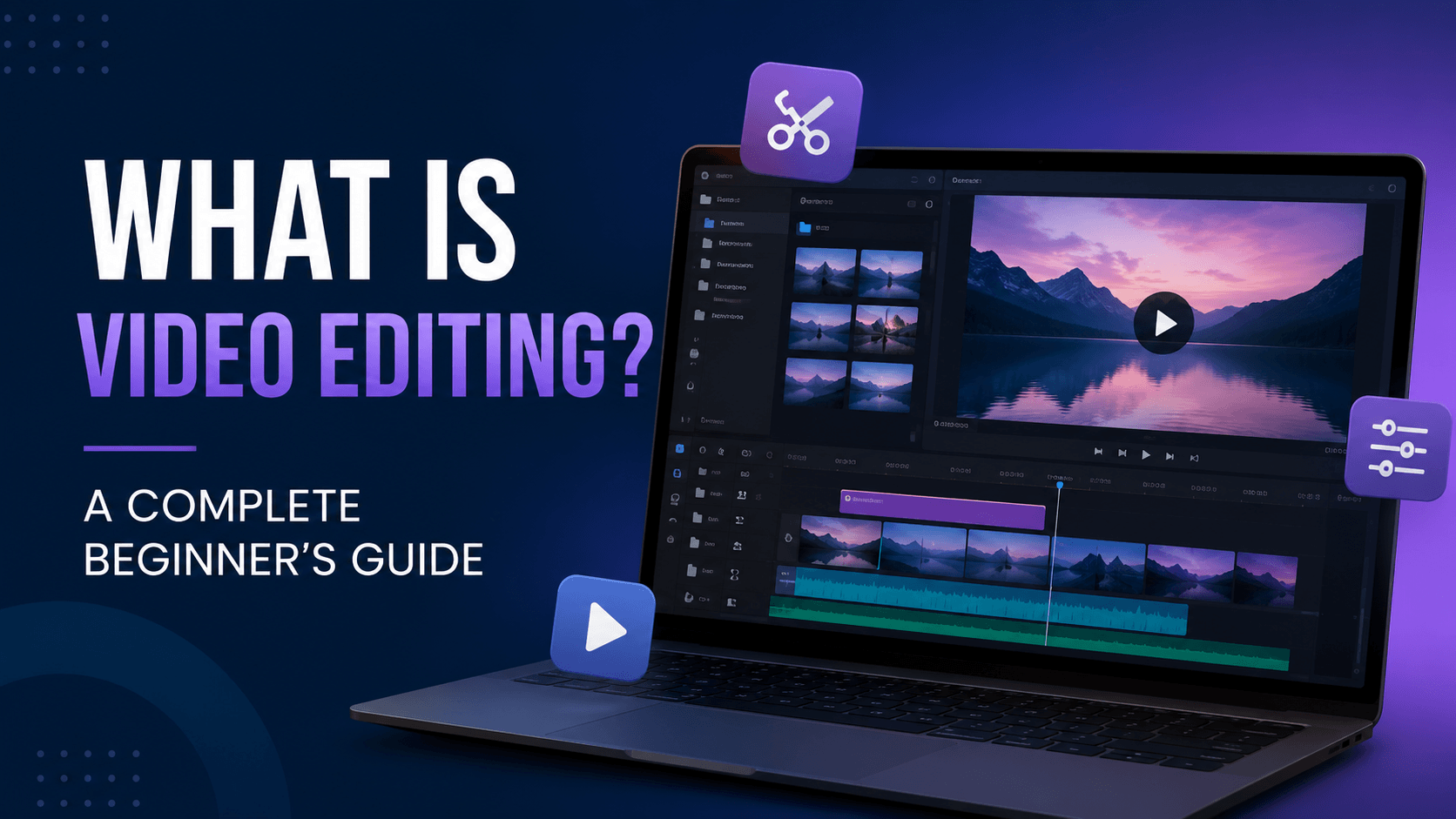
    What Is Video Editing? Everything Beginners Need to Know

    All the content you see while watching YouTube, Instagram clips, streaming on Netflix, and TV viewing has been through an editing process before reaching your screen. Video editing is required to get rid of the unwanted shots and adding some music, words, transitions, and visual effects.

    The process of video editing takes raw footage and turns it into something done right. Whatever you are doing, be it social media advertising, marketing video development, short movies, or video blogs, it is essential to know how to edit video effectively.

    The good thing is that you do not need lots of money to get the high-quality equipment as well as the years of experience in this area of expertise to start doing video editing. Nowadays, you can find such modern tools as immediately available applications and other programs that enable the users to produce movies from the very beginning at home.

    What Is Video Editing?

    Video editing is a process of picking out, arranging, cutting, improving, and merging clips of video so that a message can be created through the finished video. This also includes adding audio, music, words, animations, and effects into the finished video.

    Video editing can be compared to putting together a jigsaw puzzle. You select what footage you will use to generate the final polished video.

    Why Is Video Editing Important?

    Video editing is important because it helps to hold the attention of your audience. First of all, raw footage has flaws, it is often not suitable for presentation, because it can have problems like sound issues, awkward pauses, unstable filming, and so on.

    Benefits of video editing include:

    • Makes videos more professional
    • Improves storytelling
    • Increases audience engagement
    • Enhances visual quality
    • Improves audio clarity
    • Adds branding elements
    • Makes content suitable for different platforms

    Whether you are making a wedding video, advertising video for products, video blog, or an Instagram Reel, editing plays an important role in the way your audience perceives your video.

    Also Read: Video Editing Tips

    Types of Video Editing

    There are various techniques of editing used in videos. In this case, the following are some of the widely used editing styles.

    1. Non-Linear Editing (NLE)

    Today the most commonly used video editing technique is non-linear video editing. Non-linear editing allows the editor to cut, trim, add, and move clips around without harming any of the original footage. It can be done using software programs like Adobe Premiere Pro, DaVinci Resolve, and Final Cut Pro.

    2. Linear Editing

    Linear editing has been used for a long time but is not as common today due to the increased flexibility of digital editing software. The linear editing process only allows footage to be arranged in a linear fashion since once the editing is done, it is hard to return to the previous sequences.

    3. Online Editing

    Online editing refers to the last processes of video editing when high-quality and high resolution editing is achieved. Online editing involves such processes as color correction, utilization of video effects, and sound editing.

    4. Offline Editing

    As for offline editing, it allows editing to be done on a lower quality of the footage and only once the editing is done, the final project is linked back to the original and high-quality material.

    5. Mobile Video Editing

    Smartphones have become advanced devices that allow people to create fantastic videos with apps like CapCut, VN, and LumaFusion. Mobile editing has gained importance when it comes to making short videos for social networks like Instagram Reels, YouTube Shorts, and TikTok.

    Essential Video Editing Terms

    Understanding common editing terminology makes learning much easier.

    TermMeaning
    TimelineThe workspace where video and audio clips are arranged.
    ClipA single recorded video segment.
    SequenceThe complete edited project made up of multiple clips.
    CutRemoving or splitting unwanted portions of footage.
    TrimShortening the beginning or end of a clip.
    TransitionA visual effect used to move smoothly from one clip to another.
    Frame Rate (FPS)The number of frames displayed every second, such as 24, 30, or 60 FPS.
    ResolutionThe quality of a video, such as 720p, 1080p, or 4K.
    Aspect RatioThe width-to-height ratio of a video, like 16:9 or 9:16.
    Color CorrectionAdjusting brightness, contrast, white balance, and exposure for natural-looking footage.
    Color GradingApplying a creative visual style or mood to a video.
    RenderProcessing edits and effects before exporting.
    ExportSaving the finished project as a playable video file.

    Step-by-Step Video Editing Process

    Once you have the workflow in place, working on the final output of a polished video is simple.

    Step 1: Organize Your Files

    Before you start the editing process, you need to gather all the video clips, audio recordings, images, and graphics. Import them into your editing suite and organize them into separate folders to find them quickly later.

    Step 2: Review the Footage

    Watch each clip through and identify the best takes. Cut out all the unusable footage to proceed to the next step.

    Step 3: Create a Rough Cut

    Arrange the selected clips in the correct order to build the basic structure of your video.

    Step 4: Refine the Edit

    Make sure to trim all the clips where possible, fix the rhythm, and cut all the awkward pauses between the clips.

    Step 5: Improve Audio

    Get suitable dialogue levels for all blocks of audio and get rid of any ambient noise that could spoil the sound of your video. Optionally add music and sound effects.

    Step 6: Add Graphics and Titles

    Make sure to insert opening titles, captions, and logos to engage the audience and create a good impression.

    Step 7: Apply Color Correction

    Adjust colors, brightness, and contrast of each video clip to make everything look visually appealing and consistent.

    Step 8: Export the Final Video

    Choose the right size, frame rate, and file format of your video to be compatible with the platform it will be used on.

    Tips for Beginners

    • Start with simple edits before using advanced effects.
    • Keep your project files organized from the beginning.
    • Focus on storytelling rather than flashy transitions.
    • Learn keyboard shortcuts to edit faster.
    • Use high-quality audio, as sound is just as important as visuals.
    • Practice regularly by editing different types of videos.
    • Watch professional videos to learn editing techniques and pacing.

    Final Thoughts

    Video editing goes beyond putting together clips. Video editing is to work with sound, colors and imaginations. If you are making videos for a social networking site, or for promotion of your business, it is very important to be good at editing for you to make an impact with your message.

    The best way to learn how to edit videos is through practice. Select an easy video editing program, do smaller projects, and work on essential skills.

  • 10 Video Editing Tips That Increase Watch Time and Engagement

    10 Video Editing Tips That Increase Watch Time and Engagement

    Introduction

    Creating a great video is only half the battle. The real challenge is keeping viewers engaged from start to finish. Whether you’re editing YouTube videos, Instagram Reels, podcasts, or brand content, audience retention plays a crucial role in content performance.

    Professional video editors understand that small editing decisions can significantly impact watch time, engagement, and conversions. In this guide, we’ll explore 10 proven video editing techniques that help keep viewers watching longer.


    1. Start With a Strong Hook

    The first few seconds determine whether viewers stay or leave.

    Avoid:

    • Long intros
    • Unnecessary logos
    • Slow openings

    Instead:

    • Ask a compelling question
    • Share a surprising fact
    • Show the final result first

    A strong hook immediately captures attention.


    2. Remove Dead Space

    Every second matters.

    Cut:

    • Awkward pauses
    • Repeated sentences
    • Unnecessary filler words

    Fast-paced editing helps maintain viewer interest throughout the video.


    3. Use Pattern Interrupts

    Pattern interrupts prevent viewers from getting bored.

    Examples:

    • Zoom effects
    • Camera angle changes
    • Text overlays
    • B-roll footage
    • Sound effects

    Changing visual elements every few seconds helps maintain attention.


    4. Add Dynamic Text Animations

    Text animations reinforce key points and improve comprehension.

    Use text for:

    • Important statistics
    • Key takeaways
    • Calls to action
    • Quotes

    Keep animations smooth and easy to read.


    5. Use B-Roll Strategically

    B-roll adds context and visual variety.

    Examples include:

    • Product shots
    • Behind-the-scenes footage
    • Screen recordings
    • Environmental clips

    Good B-roll keeps viewers engaged while supporting the narrative.


    6. Improve Audio Quality

    Poor audio causes viewers to leave quickly.

    Ensure:

    • Clear voice recordings
    • Balanced music levels
    • Noise reduction
    • Consistent volume

    Great audio often matters more than video quality.


    7. Add Background Music Carefully

    Music creates emotion and improves pacing.

    Choose music that:

    • Matches the mood
    • Supports the content
    • Doesn’t overpower dialogue

    Subtle background music can significantly improve viewer experience.


    8. Create Smooth Transitions

    Transitions should enhance the viewing experience, not distract from it.

    Best practices:

    • Use simple cuts
    • Add transitions sparingly
    • Maintain visual consistency

    Professional editing focuses on storytelling rather than flashy effects.


    9. Optimize for Mobile Viewing

    Most viewers watch content on smartphones.

    Make sure:

    • Text is readable
    • Visuals are clear
    • Captions are included
    • Key information stays centered

    Mobile-friendly editing improves engagement across platforms.


    10. End With a Clear Call to Action

    Every video should guide viewers toward a next step.

    Examples:

    • Subscribe to the channel
    • Visit the website
    • Book a consultation
    • Watch another video

    A strong CTA increases conversions and audience growth.


    Conclusion

    Successful video editing is about more than cutting clips together. Professional editors focus on storytelling, pacing, audio quality, and viewer psychology to maximize watch time and engagement.

    By applying these 10 techniques, creators and brands can create content that not only looks professional but also performs better across YouTube, Instagram, and other platforms.

  • Top 10 Ways to Earn Money as a Video Editor in 2026

    Top 10 Ways to Earn Money as a Video Editor in 2026

    Introduction

    Video editing is no longer just a creative skill—it has become one of the most profitable digital careers in the world. With the rise of YouTube, Instagram Reels, podcasts, online courses, and digital marketing, businesses and creators constantly need skilled editors. Whether you are a beginner or an experienced editor, there are many ways to turn your editing skills into a reliable income source.

    In this guide, we’ll explore the top 10 ways to earn money as a video editor in 2026.


    1. Offer Freelance Video Editing Services

    Freelancing remains one of the easiest ways to start earning money as a video editor.

    Businesses, influencers, YouTubers, and agencies frequently hire freelance editors for short-term and long-term projects. You can charge per project, per video, or on a monthly retainer basis.

    Benefits

    • Flexible working hours
    • Work with global clients
    • Unlimited earning potential

    2. Edit Videos for YouTube Creators

    Thousands of YouTube creators upload content daily but don’t have time to edit videos themselves.

    Creators need editors for:

    • Talking-head videos
    • Podcasts
    • Vlogs
    • Shorts
    • Documentary content

    Building relationships with creators can provide stable monthly income.


    3. Become a Reels and Shorts Specialist

    Short-form content is dominating social media.

    Platforms like:

    • Instagram Reels
    • YouTube Shorts
    • TikTok
    • Facebook Reels

    need fast-paced, engaging edits.

    Many creators pay premium rates for editors who understand retention-focused editing.


    4. Work with Digital Marketing Agencies

    Marketing agencies handle multiple clients and often outsource editing work.

    Services include:

    • Ad creatives
    • Product videos
    • Brand storytelling
    • Social media campaigns

    Agency clients can provide consistent work throughout the year.


    5. Start a Video Editing Agency

    Instead of editing every project yourself, you can build a team and manage client relationships.

    As an agency owner, you earn by:

    • Acquiring clients
    • Managing projects
    • Delegating editing work

    This allows you to scale beyond trading time for money.


    6. Edit Podcasts for Creators and Brands

    Podcasting continues to grow rapidly.

    Podcast editors are needed for:

    • Audio cleanup
    • Multi-camera editing
    • Social media clips
    • Highlight reels

    Many podcasters require weekly editing support, creating recurring income opportunities.


    7. Sell Video Editing Templates

    Create and sell:

    • Premiere Pro templates
    • After Effects templates
    • Motion graphics packs
    • Transitions
    • LUTs

    Once created, these digital products can generate passive income for years.


    8. Create and Sell Online Courses

    If you have strong editing skills, you can teach others.

    Course topics may include:

    • Premiere Pro basics
    • After Effects animation
    • YouTube editing
    • Reels editing
    • Freelancing strategies

    Online courses can become a significant long-term revenue source.


    9. Offer Corporate Video Editing

    Companies require professional videos for:

    • Internal training
    • Product launches
    • Company presentations
    • Recruitment campaigns

    Corporate clients typically have larger budgets and long-term requirements.


    10. Build Your Personal Brand

    Many successful editors earn money through their personal brand.

    You can share:

    • Editing tips
    • Behind-the-scenes content
    • Tutorials
    • Client case studies

    A strong personal brand helps attract higher-paying clients without relying on freelance marketplaces.


    Conclusion

    Video editing offers more opportunities than ever before. From freelancing and agency work to digital products and online courses, skilled editors can build multiple income streams and create a profitable career.

    The key is to specialize, build a strong portfolio, and continuously improve your storytelling and editing skills. Those who adapt to changing content trends will have the greatest earning potential in 2026 and beyond.